

.jpg)
Payment Methods
Our webshop now uses the Walley Checkout payment system. Walley Checkout lets you shop online easily, flexibly and securely, and choose the payment option that suits you best.
The available payment options are shown at checkout. Which ones you see may vary depending on your details, so you will see exactly which options are available to you once you have entered your information at checkout.
From 17.06.2026, Multitronic's webshop payments are handled by Walley through the Walley Checkout service.
Bank transfer
Pay directly from your bank through Walley. Online banking is supported for the most common banks: OP, Nordea, S-Pankki, Danske Bank, Säästöpankki, POP Pankki, OmaSp, Revolut, Aktia and Ålandsbanken. Your bank or account statement will show Walley/Trustly as the recipient. Multitronic cannot access your data or account.
MobilePay
Pay quickly and securely with your phone. To use MobilePay, download the MobilePay app and activate it with your chosen account.
Card
Pay with the debit and credit cards of all Finnish banks (Visa and Mastercard). When paying by card you provide your card number, expiry date and CVC code, and complete a 3D Secure verification. Please make sure you have activated your card for online payments in your online bank.
Apple Pay
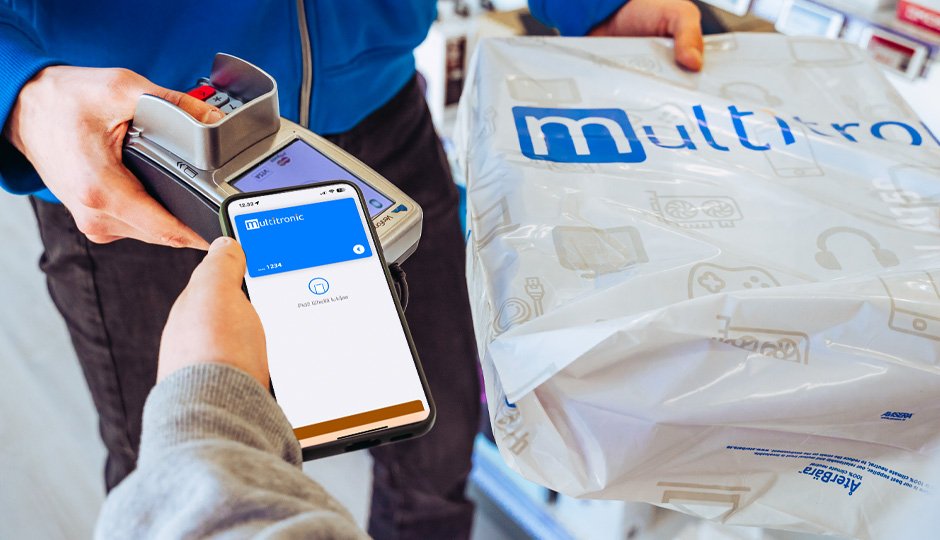
You can select Apple Pay in our webshop if you have Apple Pay set up on your device. Pay directly with your iPhone using Face ID or your passcode, with no separate app needed.
Pay within 30 days with Walley
Get your goods first and pay later, with no fee. The invoice is sent to your email. Late payment adds a reminder fee and interest. You can move the due date on Walley's website or in the Walley app.
Part payment with Walley
Split your purchase into monthly instalments. You choose the payment plan that suits you at checkout.
Pay at your own pace with Walley
A flexible account-based option that lets you decide how much to pay each month.
By choosing invoice or instalment payment, you accept the agreement between Multitronic and Walley, your payment service provider. You need to be at least 18 years old and a credit decision is required.
For all Pay after delivery options (invoice and instalments), payment is activated only once your order has shipped from our warehouse or been picked up in store. For all other consumer payment methods, payment is activated once we process your order.
For any questions about paying for your order, please contact Walley's customer service at https://www.walley.fi/asiakaspalvelu/
When you shop directly in one of our stores, you can pay by cash, debit card and credit card. Walley invoice and instalment is also available for in-store purchases over €50.
Orders placed online are always paid at checkout, including those you choose to collect from a store. Pickup orders are paid the same way as any other online order.
When you come to collect your order, please bring a valid photo ID such as a passport, ID card or driver's licence. We check it to confirm you are the right person to receive the order. We only look at your ID and do not copy or store it.
If someone else is collecting the order for you, please add their name to the order when placing it. They can then collect it by showing the order number and their own ID.
Invoice
Business invoices are handled through Walley Checkout as well. Choose a 14, 30, 45 or 60 day payment period at checkout. 14 days is free, and the longer options carry a small fee. Alternatively, businesses can always pay by Visa or Mastercard. Please note that for invoice orders a credit decision must be approved.
Grenke Leasing
Leasing is available for companies through Grenke. To arrange a leasing plan, please contact our customer support.
From 17.06.2026, Multitronic's webshop payments are handled by Walley through the Walley Checkout service.
Which payment methods can I use in the webshop?
Through Walley Checkout you can pay by bank transfer, MobilePay, card (Visa/Mastercard) or Apple Pay, or choose a Pay after delivery option with Walley. The exact options shown to you appear at checkout once you have entered your details.
Why don't I see all payment options at checkout?
The available options can vary depending on your details and the order. Walley determines which methods are offered to you, so you will only see the ones available for your purchase.
When will I be charged?
For Pay after delivery options (invoice and instalments), payment is activated only once your order has shipped from our warehouse or been picked up in store. For all other payment methods, payment is activated when we process your order.
Will I need to verify my card payment?
Yes. All card payments require 3D Secure verification. Please make sure your card is activated for online payments in your online bank before paying.
Who appears as the recipient on my bank statement?
For bank transfers, your statement will show Walley/Trustly as the recipient. Multitronic cannot access your data or account.
How does paying by invoice work?
With the Pay within 30 days option you receive your goods first and pay later, with no fee. Walley sends the invoice to your email once your order is dispatched. You can pay the full amount at once or in instalments, and move the due date on Walley's website or in the Walley app.
I've paid my invoice but still received a reminder. What should I do?
If you paid close to the due date, the payment may not have registered with Walley yet. If you think there's an error, send a receipt or screenshot of the transaction to Walley's customer service.
I've lost my invoice. Where can I find it?
All your invoices are visible in the Walley app or at my.walley.fi. If you can't find it, contact Walley's customer service.
Do I pay for a store pickup order online or at the store?
Pickup orders are paid online at checkout, just like any other online order. When you collect it, please bring a valid photo ID so we can confirm you are the right person to receive the order.
Can someone else pick up my order?
Yes. Add the name of the person collecting the order when you place it. They can then pick it up by showing the order number and their own ID.
Can I pay by invoice as a business?
Yes. Business invoices go through Walley Checkout with a 14, 30, 45 or 60 day payment period. 14 days is free, longer options carry a small fee. Businesses can also always pay by Visa or Mastercard. A credit decision must be approved for invoice orders.
How do I arrange Grenke leasing for my company?
Contact our customer support and we'll help you set up a leasing plan.
Who do I contact about a payment or invoice?
For questions about paying for an order or about an invoice, contact Walley's customer service at https://www.walley.fi/asiakaspalvelu/. For anything else, our own customer service is happy to help.
What should I do if the Walley Checkout payment page does not load?
First, try reloading the page. If you are travelling abroad, the issue might also be related to that. The Walley payment system works in all Nordic and EU countries, however, access to the service may be limited in some other regions. In that case, you might need to use a VPN to complete your checkout. You can also always contact our customer service, and we will try our best to help you.
Questions or concerns?
If you have any questions or need help, don't hesitate to contact us. You can call our customer service number or send us an email. Our professional team will be happy to help you and answer all your questions.
Contact us
Our customer service is open on weekdays from 09:00 to 17:00.
By phone: +358 (0)6 319 77 00
By email: info@multitronic.fi
By chat: Orange button in the lower right corner of the website